
Deprecated: Creation of dynamic property Timber\Site::$pingback is deprecated in /var/www/html/web/app/themes/ilsoftware/vendor/timber/timber/lib/Site.php on line 180

Deprecated: Creation of dynamic property Timber\User::$name is deprecated in /var/www/html/web/app/themes/ilsoftware/vendor/timber/timber/lib/User.php on line 118

Deprecated: Creation of dynamic property Timber\Post::$has_disclaimer is deprecated in /var/www/html/web/app/themes/ilsoftware/vendor/timber/timber/lib/Core.php on line 71

Deprecated: Creation of dynamic property Timber\Post::$_edit_lock is deprecated in /var/www/html/web/app/themes/ilsoftware/vendor/timber/timber/lib/Core.php on line 71

Deprecated: Creation of dynamic property Timber\Post::$_edit_last is deprecated in /var/www/html/web/app/themes/ilsoftware/vendor/timber/timber/lib/Core.php on line 71

Deprecated: Creation of dynamic property Timber\Post::$_thumbnail_id is deprecated in /var/www/html/web/app/themes/ilsoftware/vendor/timber/timber/lib/Core.php on line 71

Deprecated: Creation of dynamic property Timber\Post::$onesignal_meta_box_present is deprecated in /var/www/html/web/app/themes/ilsoftware/vendor/timber/timber/lib/Core.php on line 71

Deprecated: Creation of dynamic property Timber\Post::$onesignal_send_notification is deprecated in /var/www/html/web/app/themes/ilsoftware/vendor/timber/timber/lib/Core.php on line 71

Deprecated: Creation of dynamic property Timber\Post::$onesignal_modify_title_and_content is deprecated in /var/www/html/web/app/themes/ilsoftware/vendor/timber/timber/lib/Core.php on line 71

Deprecated: Creation of dynamic property Timber\Post::$onesignal_notification_custom_heading is deprecated in /var/www/html/web/app/themes/ilsoftware/vendor/timber/timber/lib/Core.php on line 71

Deprecated: Creation of dynamic property Timber\Post::$onesignal_notification_custom_content is deprecated in /var/www/html/web/app/themes/ilsoftware/vendor/timber/timber/lib/Core.php on line 71

Deprecated: Creation of dynamic property Timber\Post::$_yoast_wpseo_content_score is deprecated in /var/www/html/web/app/themes/ilsoftware/vendor/timber/timber/lib/Core.php on line 71

Deprecated: Creation of dynamic property Timber\Post::$_yoast_wpseo_focuskeywords is deprecated in /var/www/html/web/app/themes/ilsoftware/vendor/timber/timber/lib/Core.php on line 71

Deprecated: Creation of dynamic property Timber\Post::$_yoast_wpseo_keywordsynonyms is deprecated in /var/www/html/web/app/themes/ilsoftware/vendor/timber/timber/lib/Core.php on line 71

Deprecated: Creation of dynamic property Timber\Post::$_yoast_wpseo_estimated-reading-time-minutes is deprecated in /var/www/html/web/app/themes/ilsoftware/vendor/timber/timber/lib/Core.php on line 71

Deprecated: Creation of dynamic property Timber\Post::$_yoast_wpseo_wordproof_timestamp is deprecated in /var/www/html/web/app/themes/ilsoftware/vendor/timber/timber/lib/Core.php on line 71

Deprecated: Creation of dynamic property Timber\Post::$tipologia is deprecated in /var/www/html/web/app/themes/ilsoftware/vendor/timber/timber/lib/Core.php on line 71

Deprecated: Creation of dynamic property Timber\Post::$_tipologia is deprecated in /var/www/html/web/app/themes/ilsoftware/vendor/timber/timber/lib/Core.php on line 71

Deprecated: Creation of dynamic property Timber\Post::$attributi is deprecated in /var/www/html/web/app/themes/ilsoftware/vendor/timber/timber/lib/Core.php on line 71

Deprecated: Creation of dynamic property Timber\Post::$_attributi is deprecated in /var/www/html/web/app/themes/ilsoftware/vendor/timber/timber/lib/Core.php on line 71

Deprecated: Creation of dynamic property Timber\Post::$in_evidenza_newsletter is deprecated in /var/www/html/web/app/themes/ilsoftware/vendor/timber/timber/lib/Core.php on line 71

Deprecated: Creation of dynamic property Timber\Post::$_in_evidenza_newsletter is deprecated in /var/www/html/web/app/themes/ilsoftware/vendor/timber/timber/lib/Core.php on line 71

Deprecated: Creation of dynamic property Timber\Post::$inviato_in_newsletter is deprecated in /var/www/html/web/app/themes/ilsoftware/vendor/timber/timber/lib/Core.php on line 71

Deprecated: Creation of dynamic property Timber\Post::$_inviato_in_newsletter is deprecated in /var/www/html/web/app/themes/ilsoftware/vendor/timber/timber/lib/Core.php on line 71

Deprecated: Creation of dynamic property Timber\Post::$fonte is deprecated in /var/www/html/web/app/themes/ilsoftware/vendor/timber/timber/lib/Core.php on line 71

Deprecated: Creation of dynamic property Timber\Post::$_fonte is deprecated in /var/www/html/web/app/themes/ilsoftware/vendor/timber/timber/lib/Core.php on line 71

Deprecated: Creation of dynamic property Timber\Post::$fonte_url is deprecated in /var/www/html/web/app/themes/ilsoftware/vendor/timber/timber/lib/Core.php on line 71

Deprecated: Creation of dynamic property Timber\Post::$_fonte_url is deprecated in /var/www/html/web/app/themes/ilsoftware/vendor/timber/timber/lib/Core.php on line 71

Deprecated: Creation of dynamic property Timber\Post::$_yoast_wpseo_primary_category is deprecated in /var/www/html/web/app/themes/ilsoftware/vendor/timber/timber/lib/Core.php on line 71

Deprecated: Creation of dynamic property Timber\Post::$_yoast_wpseo_primary_blz_affiliation_attributes is deprecated in /var/www/html/web/app/themes/ilsoftware/vendor/timber/timber/lib/Core.php on line 71

Deprecated: Creation of dynamic property Timber\Post::$_yoast_wpseo_primary_content_type is deprecated in /var/www/html/web/app/themes/ilsoftware/vendor/timber/timber/lib/Core.php on line 71

Deprecated: Creation of dynamic property Timber\Post::$_yoast_wpseo_primary_attributes is deprecated in /var/www/html/web/app/themes/ilsoftware/vendor/timber/timber/lib/Core.php on line 71

Deprecated: Creation of dynamic property Timber\Post::$_yoast_wpseo_primary_speciali is deprecated in /var/www/html/web/app/themes/ilsoftware/vendor/timber/timber/lib/Core.php on line 71

Deprecated: Creation of dynamic property Timber\Post::$_yoast_wpseo_focuskw is deprecated in /var/www/html/web/app/themes/ilsoftware/vendor/timber/timber/lib/Core.php on line 71

Deprecated: Creation of dynamic property Timber\Post::$_yoast_wpseo_metadesc is deprecated in /var/www/html/web/app/themes/ilsoftware/vendor/timber/timber/lib/Core.php on line 71

Deprecated: Creation of dynamic property Timber\Post::$_yoast_wpseo_linkdex is deprecated in /var/www/html/web/app/themes/ilsoftware/vendor/timber/timber/lib/Core.php on line 71

Deprecated: Creation of dynamic property Timber\Post::$response_body is deprecated in /var/www/html/web/app/themes/ilsoftware/vendor/timber/timber/lib/Core.php on line 71

Deprecated: Creation of dynamic property Timber\Post::$status is deprecated in /var/www/html/web/app/themes/ilsoftware/vendor/timber/timber/lib/Core.php on line 71

Deprecated: Creation of dynamic property Timber\Post::$_yoast_indexnow_last_ping is deprecated in /var/www/html/web/app/themes/ilsoftware/vendor/timber/timber/lib/Core.php on line 71

Deprecated: Creation of dynamic property Timber\Post::$_oembed_b3dd29e8ee7e4154d8f3a0033b931a5b is deprecated in /var/www/html/web/app/themes/ilsoftware/vendor/timber/timber/lib/Core.php on line 71

Deprecated: Creation of dynamic property Timber\Post::$_oembed_time_b3dd29e8ee7e4154d8f3a0033b931a5b is deprecated in /var/www/html/web/app/themes/ilsoftware/vendor/timber/timber/lib/Core.php on line 71

Deprecated: Creation of dynamic property Timber\Post::$post_date_gmt is deprecated in /var/www/html/web/app/themes/ilsoftware/vendor/timber/timber/lib/Core.php on line 71

Deprecated: Creation of dynamic property Timber\Post::$comment_status is deprecated in /var/www/html/web/app/themes/ilsoftware/vendor/timber/timber/lib/Core.php on line 71

Deprecated: Creation of dynamic property Timber\Post::$ping_status is deprecated in /var/www/html/web/app/themes/ilsoftware/vendor/timber/timber/lib/Core.php on line 71

Deprecated: Creation of dynamic property Timber\Post::$post_password is deprecated in /var/www/html/web/app/themes/ilsoftware/vendor/timber/timber/lib/Core.php on line 71

Deprecated: Creation of dynamic property Timber\Post::$post_name is deprecated in /var/www/html/web/app/themes/ilsoftware/vendor/timber/timber/lib/Core.php on line 71

Deprecated: Creation of dynamic property Timber\Post::$to_ping is deprecated in /var/www/html/web/app/themes/ilsoftware/vendor/timber/timber/lib/Core.php on line 71

Deprecated: Creation of dynamic property Timber\Post::$pinged is deprecated in /var/www/html/web/app/themes/ilsoftware/vendor/timber/timber/lib/Core.php on line 71

Deprecated: Creation of dynamic property Timber\Post::$post_modified is deprecated in /var/www/html/web/app/themes/ilsoftware/vendor/timber/timber/lib/Core.php on line 71

Deprecated: Creation of dynamic property Timber\Post::$post_modified_gmt is deprecated in /var/www/html/web/app/themes/ilsoftware/vendor/timber/timber/lib/Core.php on line 71

Deprecated: Creation of dynamic property Timber\Post::$post_content_filtered is deprecated in /var/www/html/web/app/themes/ilsoftware/vendor/timber/timber/lib/Core.php on line 71

Deprecated: Creation of dynamic property Timber\Post::$guid is deprecated in /var/www/html/web/app/themes/ilsoftware/vendor/timber/timber/lib/Core.php on line 71

Deprecated: Creation of dynamic property Timber\Post::$menu_order is deprecated in /var/www/html/web/app/themes/ilsoftware/vendor/timber/timber/lib/Core.php on line 71

Deprecated: Creation of dynamic property Timber\Post::$post_mime_type is deprecated in /var/www/html/web/app/themes/ilsoftware/vendor/timber/timber/lib/Core.php on line 71

Deprecated: Creation of dynamic property Timber\Post::$comment_count is deprecated in /var/www/html/web/app/themes/ilsoftware/vendor/timber/timber/lib/Core.php on line 71

Deprecated: Creation of dynamic property Timber\Post::$filter is deprecated in /var/www/html/web/app/themes/ilsoftware/vendor/timber/timber/lib/Core.php on line 71
La TV ti ascolta e grazie a Raspberry Pi genera immagini di qualità

La TV ti ascolta e grazie a Raspberry Pi genera immagini di qualità

Guida alla creazione di un progetto, battezzato Lumina, che sfrutta una scheda Raspberry Pi, OpenAI DALL-E 3, Picovoice, script Python e una TV con ingresso HDMI per generare immagini di qualità con il riconoscimento vocale. Ecco come funziona e come realizzare il dispositivo in totale autonomia.

Le schede Raspberry Pi non hanno certo bisogno di presentazioni: sono dispositivi di dimensioni ridotte e a basso costo che hanno trovato applicazioni in una vasta gamma di settori. Sono ideali per progetti di prototipazione e per gli appassionati di elettronica che desiderano creare dispositivi personalizzati, come server domestici, stazioni meteorologiche, sistemi di automazione e molto altro. I single-board computer Raspberry vanno ben oltre gli utilizzi in ambito didattico: possono essere utilizzati per ospitare applicazioni desktop, server Web e sono ampiamente utilizzati nel mondo dell’Internet delle Cose (IoT).

Sono strumenti eccellenti per coadiuvare la creazione di dispositivi intelligenti e interconnessi, come sensori di monitoraggio, telecamere di sicurezza e soluzioni per la smart home. Grazie alla loro capacità di riproduzione video ad alta definizione, le Raspberry Pi sono spesso impiegate per creare dispositivi multimediali come media center o sistemi di streaming per la riproduzione di contenuti audio e video.

Lumina: il TV ascolta e comprende il parlato dell’utente visualizzando le immagini generate sulla scheda Raspberry Pi

Tra i progetti che destano maggiore meraviglia c’è il nuovo Lumina AI Art Generator. Si tratta di un esperimento che unisce le potenzialità di una scheda Raspberry Pi 4 con il modello generativo DALL-E 3 di Microsoft e OpenAI.

Collegando la Raspberry Pi a un televisore tramite porta HDMI e pronunciando ad alta voce una “parola magica” (in questo caso si tratta di “Lumina“), è possibile richiedere la generazione di immagini di qualità, partendo dall’accurata descrizione vocale fornita. Date un’occhiata a questo video pubblicato su YouTube: mostra ciò che è possibile ottenere realizzato in proprio il progetto.
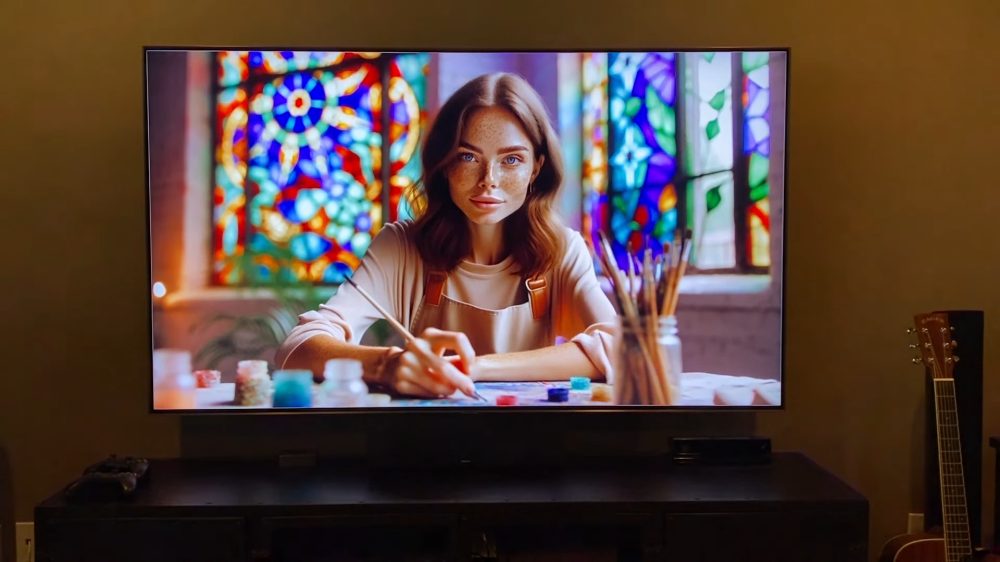
Generazione immagini con IA e Raspberry Pi

Sì, perché il team di Lumina ha pubblicato su GitHub tutte le informazioni per realizzare il progetto in proprio: oltre alla scheda Raspberry Pi, è sufficiente dotarsi di componenti economici come un alimentatore USB-C 5,1V 3A, un compatto mini microfono USB omnidirezionale e infine un cavo da micro HDMI a HDMI per collegare il single-board computer con il televisore.

Se si preferisse usare un normale cavo HDMI, per collegarne un capo alla Raspberry Pi è possibile ricorrere a un adattatore da micro HDMI a HDMI come questo.

Infine, gli autori di Lumina suggeriscono di applicare un dissipatore sopra il SoC Broadcom che campeggia sulla Raspberry Pi: in questo modo è possibile scongiurare eventuali fenomeni di thermal throttling in caso di carichi di lavoro particolarmente impegnativi.

Il riconoscimento vocale è gestito utilizzando il progetto open source Picovoice. Diversamente rispetto agli assistenti digitali che tutti conosciamo, come Alexa, Google Assistant e Siri, Picovoice può funzionare anche in locale, senza scambiare alcun dato sul cloud.
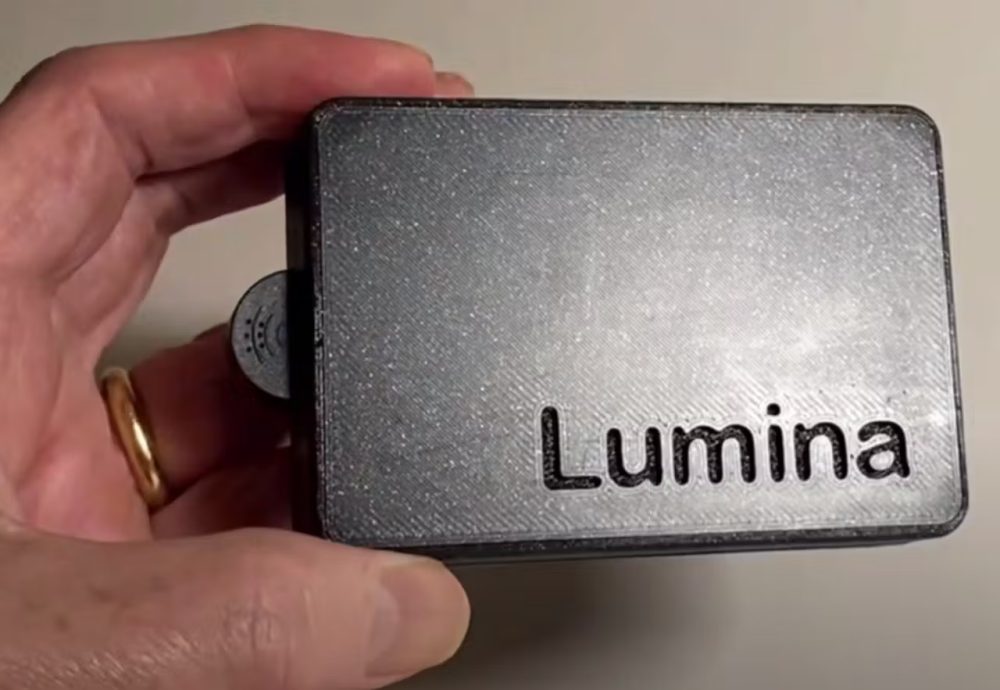
Lumina con OpenAI e Picovoice

Come configurare Raspberry Pi per il riconoscimento vocale e la generazione di immagini

Dopo essersi attrezzati con tutta la dotazione hardware necessaria, si può passare alla creazione di un account utente OpenAI (fare clic su Login in alto a destra) e di un account su Picovoice. In entrambi i casi, è necessario ottenere e annotare la chiave segreta che servirà per dialogare con entrambe le piattaforme.

Il passaggio seguente consiste nell’installazione del sistema operativo Raspberry Pi OS a 64 bit, con il software Raspberry Pi Imager. Il team di Lumina consiglia di selezionare Raspberry Pi OS (other) quindi Raspberry Pi OS (Legacy, 64-bit). Al momento, infatti, Raspberry Pi OS Bookworm non è perfettamente compatibile con il progetto.

A questo punto, è sufficiente seguire le istruzioni riportate nella guida di Lumina (formato PDF).

Come primo passo, Lumina modifica il contenuto del file ~/.bashrc per specificare una variabile di ambiente (PATH) utile a indicare dove il sistema operativo e Python devono cercare eseguibili e file di configurazione.

I passaggi software per impostare il dispositivo Raspberry Pi e attivare le sue “orecchie”

Successivamente, bisogna inserire una serie di istruzioni per gestire le dipendenze software essenziali per il progetto e procedere con l’installazione dei pacchetti Python sul sistema operativo Raspberry. I vari comandi si occupano di aggiornare il gestore dei pacchetti Python (pip) alla versione più recente, abilitano i font TrueType di Microsoft, abilitano l’utilità per la gestione del server X (sistema grafico), forniscono il supporto per Tkinter nell’ambito delle immagini elaborate da Python Imaging Library (PIL), installano il pacchetto Python pyaudio (fornisce un’interfaccia Python per PortAudio, consentendo l’uso dell’audio).

Le successive attività prevedono l’installazione di pvrecorder come registratore vocale, di pvporcupine per il riconoscimento vocale del comando di attivazione (“wake word“), di pvcobra, pvleopard e del pacchetto Python schedule, che fornisce funzionalità di pianificazione per l’esecuzione di comandi su base periodica.

Infine, pip3 install --upgrade openai aggiorna il pacchetto Python OpenAI alla versione più recente, garantendo l’utilizzo delle ultime funzionalità integrate nella libreria.
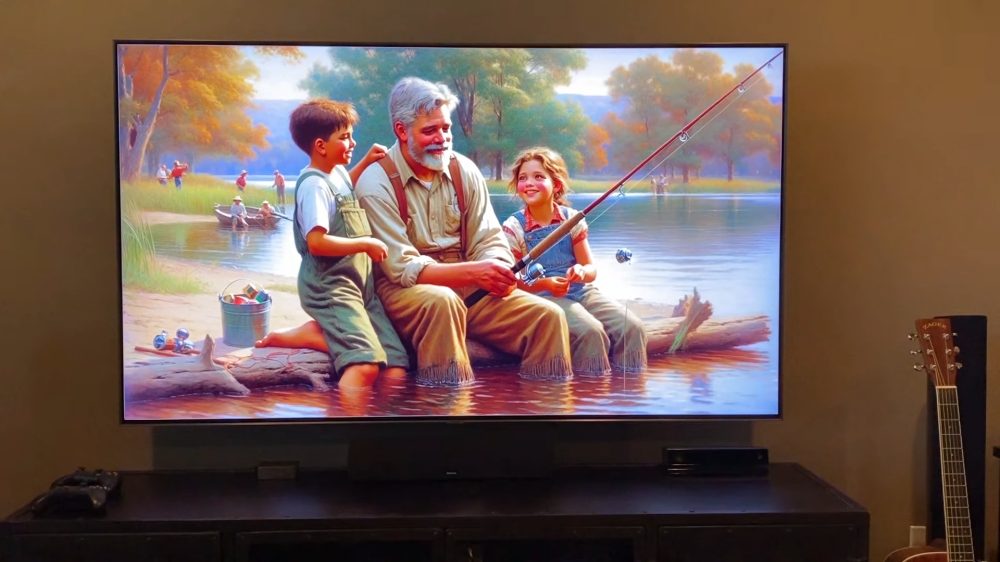
Generazione comandi vocali IA

Clonazione del repository GitHub e avvio del riconoscimento vocale

Dopo alcune modifiche minori (la guida spiega come nascondere il puntatore del mouse sullo schermo, dopo un periodo di inattività: sudo nano /etc/xdg/lxsession/LXDE-pi/autostart e aggiunta della riga @unclutter -idle 5), è finalmente possibile clonare il repository GitHub di Lumina (git clone https://github.com/DevMiser/Lumina.git) quindi aggiungere le proprie chiavi segrete di OpenAI e Picovoice all’interno dello script Lumina.py.

Il repository GitHub di Lumina contiene anche i modelli in formato STL per stampare in 3D il case da utilizzare per inserire la scheda Raspberry Pi e creare un vero dispositivo da salotto, intelligente e governato dall’IA.

Una volta riavviata la scheda Raspberry Pi, eseguendo lo script (python3 Lumina.py), sul TV dovrebbe apparire il logo Lumina e il sistema dovrebbe porsi in ascolto della “parola magica”.

A questo punto si può iniziare a creare magnifiche opere d’arte attraverso il controllo vocale, visualizzandole su qualunque televisore dotato di ingresso HDMI.

Le immagine pubblicate nell’articolo sono tratte dal video condiviso da Lumina.

Ti consigliamo anche

Link copiato negli appunti